

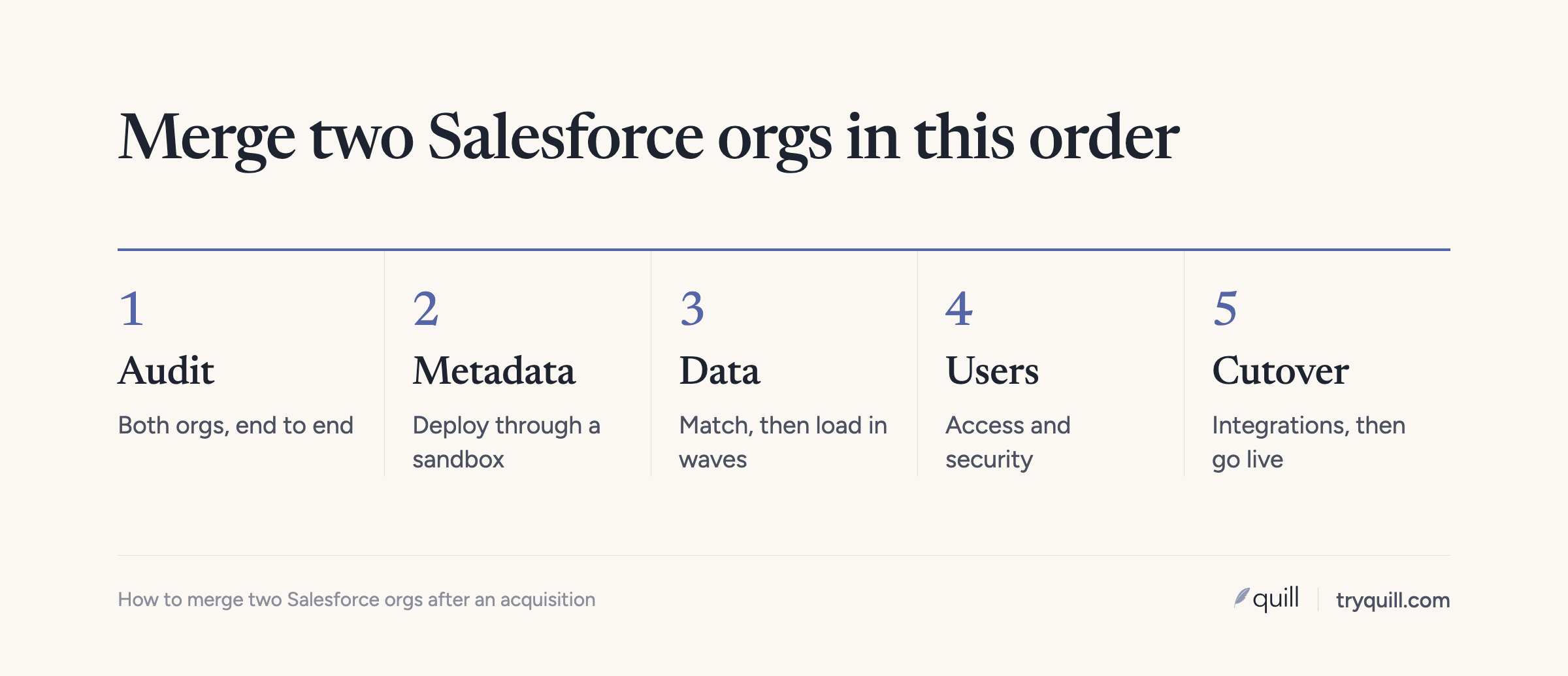
The short answer: Salesforce has no built-in way to merge two orgs, so an org merge is a migration. You pick one org to survive, rebuild what you need from the other org's configuration in it, and load the other org's data, users, and integrations into it over a planned cutover. The steps run in a fixed order: decide whether to merge at all, audit both orgs, agree on the data model, deploy metadata through a sandbox, match and load the data, move users and integrations, then keep the combined org clean.
This guide covers each stage, with the most detail on the data, where most merges lose time. It is part of the playbook in how to consolidate CRMs across a private equity roll-up. If the acquired company runs HubSpot, see how to merge two HubSpot portals after an acquisition.
Should you merge the two orgs at all?
An acquisition does not automatically mean one org. There are three common end states.
| Option | When it fits |
|---|---|
| Merge into one surviving org | The sales teams will combine, you plan to cross-sell, or leadership wants one pipeline and one forecast. |
| Merge both into a new org | Both orgs carry years of customization that nobody wants to keep, and you can afford a rebuild. |
| Keep both orgs and connect them | The acquired business sells to different buyers, has its own regulatory or data residency needs, or may be sold again. |
If you keep both orgs, you need a reporting layer across them, usually a data warehouse. Salesforce also sells the cross-org adapter for Salesforce Connect, which shows another org's records as external objects (up to five other orgs per org). It suits lookups more than day-to-day selling.
Either way, you need to know which accounts are the same customer in both orgs, or combined reporting counts shared customers twice.
How to choose the surviving org
Teams often default to the acquirer's org. Check that choice against these questions:
- Which data model is closer to where the combined company is going?
- Which org carries less debt? A cleaner, smaller org can be the better base.
- What do other systems depend on? Billing, the data warehouse, marketing automation, and support tools store Salesforce record IDs. The org they point to is expensive to retire.
- Which features are enabled? Some settings are hard to reverse. Person accounts and multi-currency are generally treated as permanent once enabled, so confirm with Salesforce before planning around turning either one off.
- What do the contracts say? Compare editions, license counts, managed package subscriptions, and renewal dates for both orgs. The legacy org's renewal date often sets the deadline for the whole project.
Step by step: how to merge Salesforce orgs
1. Assemble the team and write down the decisions
You need an owner from RevOps or Salesforce administration on each side, someone from sales leadership who can settle ownership and territory questions, and whoever runs the integrations. Before any technical work, write down the combined opportunity stages and their entry criteria, account types, lead sources, segments, and who owns what. Every later step depends on these.
2. Audit both orgs
Build an inventory of each org and mark each item as keep, merge, replace, or retire. Cover:
- Objects and fields: standard and custom objects, custom fields, picklist values, and which fields are actually populated.
- Record types and page layouts.
- Automation: record-triggered flows, scheduled flows, any remaining Process Builder and workflow rules, Apex triggers and classes, validation rules, assignment and escalation rules.
- Sharing and access: organization-wide defaults, the role hierarchy, sharing rules, territories, profiles, permission sets, and permission set groups.
- Integrations: every connected app and integration user, what it reads and writes, and which field it matches on.
- Managed packages: what is installed, whether the surviving org has the same package and version, and whether the package's data needs the vendor's help to move.
- Reports and dashboards that people actually open.
Pay the most attention to automation that decides ownership and routing. At one company, account-ownership routing had grown to about 19 rules stacked on top of each other, and things were failing. Rebuild logic like that once for the combined company rather than copying it.
3. Map the data model
For every object you are moving, map each source field to a target field, and each source picklist value to a target value. Map record types and opportunity stages explicitly. A stage called "Negotiation" in one org and "Contracting" in the other may or may not mean the same thing, and the combined forecast depends on getting it right.
4. Move the metadata through a sandbox
Build the target configuration in a sandbox of the surviving org, never directly in production. A Full sandbox copies all production data and metadata and can be refreshed every 29 days, which makes it the right place for the final rehearsal.
Change sets won't help here. They only travel between a production org and its own sandboxes, not between two unrelated orgs. Retrieve the acquired org's metadata with the Salesforce CLI (which uses the Metadata API) or a DevOps tool such as Gearset, adjust it in source control, and deploy it to your sandbox.
Deploy in dependency order: objects, fields, and value sets first; then Apex and components; then pages and layouts; then profiles, permission sets, and sharing; then flows and email templates. Before production, Apex needs at least 75 percent overall test coverage, and every trigger needs some coverage. Be careful with profiles: deploying profile metadata can overwrite what the target org already has.
5. Clean and match the data before you load it
Clean each org on its own first, then match records across the two orgs. Salesforce's duplicate rules and merge tool only work inside one org, so cross-org matching happens outside Salesforce, before the load. We cover the matching in detail in how to deduplicate accounts across two Salesforce orgs: normalizing names and domains, scoring matches into tiers, recording each decision in a crosswalk table, and loading with external IDs. For each matched pair you also need to decide which values win, which survivorship rules for CRM records covers.
Also decide what not to move (old closed-lost deals, inactive leads, bounced contacts can be archived instead), and list the customers that exist in both orgs, because their owners and open deals need a decision from sales leadership before cutover.
6. Load the data in dependency order
Create an external ID field on each target object and fill it with the source record's ID. Then upsert rather than insert, so a failed batch can be rerun without duplicates and child records find their parents by the source ID. A typical order:
- Users (and a mapping of source user IDs to target user IDs)
- Accounts, including parent accounts before children
- Contacts
- Products, price books, and price book entries
- Opportunities, then opportunity line items and contact roles
- Cases, contracts, and custom objects
- Tasks, events, and other activities
- Files and notes
- Chatter posts, if you are moving them
A few objects need extra planning.
Owners. Map each source user to a target user, and decide where records owned by departed employees go. If you want original Created By and Created Date values, an admin must enable "Set Audit Fields upon Record Creation" before the load; those fields can only be set on insert through the API.
Field history. You can't insert rows into Salesforce's field history tables. Export the acquired org's history and keep it in a custom object or your warehouse.
Files and attachments. Files move as ContentVersion records and get new ContentDocument IDs, so you rebuild the ContentDocumentLink records that attach them to accounts and opportunities, using your external IDs.
Chatter. Each post points to a parent record, an author, and mentioned users that all need remapping, so many teams archive Chatter instead.
Automation during the load. Flows, triggers, and validation rules fire on loaded records. Build a bypass, usually a custom permission each of them checks, and assign it to the migration user only.
Load one record first and check it, then a small batch, then the rest. After each object, compare record counts against the source and the crosswalk.
7. Move users and set up security
Salesforce usernames must be unique across every Salesforce org, so the acquired team can't keep their usernames if those are still active in the legacy org. Give them new usernames in the surviving org, or plan to change the old ones. If your single sign-on matches users on a field such as Federation ID, set that value on each new user record so they can log in from day one, and confirm the setup with whoever manages your identity provider. Assign roles and permission sets, then check that acquired reps can see the shared customers they will work.
8. Plan the integrations cutover
For every system connected to the legacy org, decide whether it moves, is replaced by a tool already connected to the surviving org, or is retired. For each one that moves, check which Salesforce IDs it stores.
This matters most for finance. Invoicing, order-to-cash, and revenue reporting are often keyed off the CRM record ID once an account becomes a customer. In an org merge every migrated record gets a new ID, so any system that stored the old ID needs updating from your crosswalk table before it reconnects, or it will create new records or write to nothing. Enrichment and sequencing tools pointed at the new org without changes can create duplicates on day one.
9. Test with production-scale data
Run at least one full rehearsal of the data load in a Full sandbox, with the real volume, and time it. Then test by role: have reps from each side open their accounts, work an opportunity through the stages, log activity, and run the reports they rely on. Test every integration end to end. Fix what breaks, then rehearse again.
The cutover weekend plan
Most teams cut over during a weekend or quiet period.
- Before: announce the freeze date, take a backup of both orgs, deploy the final metadata, and load historical data that won't change (closed deals, old activities) in the days before.
- Freeze: set the legacy org to read-only for users, pause its integrations, and export the delta since the last load.
- Load: run the final delta load, rebuild file links, and turn integrations on against the surviving org one by one.
- Check: compare counts, open a sample of shared customers, confirm owners and open pipeline match the plan, and run the key reports.
- Go or roll back: decide by an agreed time. Keep the legacy org read-only until you are confident.
Hypercare and keeping the combined org clean
Plan two to four weeks of close support after cutover. The first month is when a combined org gets messy fastest: acquired reps create accounts for customers they can't find, and integrations write in their old format.
Run duplicate and data quality checks daily during that month. One RevOps team we work with cleared about 2,000 duplicates and saw about 1,000 new ones appear, which told them integrations were creating duplicates upstream.
When the combined org is stable, freeze the legacy org, keep an export of everything, and let it expire at the contract end date.
How long does a Salesforce org merge take?
It depends on both orgs' size and complexity. Consultancies that do this work commonly cite six to twelve months for a full consolidation. As a rough guide:
- Small orgs with light customization: a couple of months is realistic if the data is in good shape.
- Mid-size orgs with custom objects, integrations, and managed packages: plan on several months.
- Large or heavily customized orgs, or several orgs at once: six months to a year or more, often in waves.
Starting data profiling and matching during diligence or right after close shortens the timeline most.
Salesforce org merge checklist
- Decide the end state: one surviving org, a new org, or two connected orgs
- Choose the surviving org on fit, debt, dependencies, and contracts
- Agree on stages, account types, segments, and ownership in writing
- Inventory objects, fields, automation, sharing, access, integrations, and packages in both orgs
- Map every field, picklist value, record type, and stage
- Retrieve legacy metadata with the Salesforce CLI or a DevOps tool, and build in a sandbox
- Deploy metadata in dependency order and meet Apex test coverage
- Deduplicate each org, match across orgs, and record decisions in a crosswalk
- Set survivorship rules and settle owners for shared customers
- Add external IDs, enable audit fields if needed, and build an automation bypass
- Load in order: users, accounts, contacts, opportunities, activities, files
- Export field history and decide on Chatter
- Create new usernames, set Federation IDs, and assign access
- Update every integration's stored IDs from the crosswalk
- Rehearse the full load in a Full sandbox
- Cut over with a freeze, a delta load, and a go or roll back time
- Check data quality daily for the first month
- Keep the legacy org read-only, export it, and retire it
How Quill helps
Quill builds AI agents that keep CRM data accurate. In an org merge, our agents read both Salesforce orgs, find duplicates within and across them, match the same customer on names, domains, contact emails, addresses, and hierarchy, and apply your survivorship rules. Every proposed match comes with the evidence behind it, and nothing is written until a person approves it. See CRM Migration or Merger for how it works, and Quill for private equity if you are merging one add-on after another. If you have an org merge coming up, book 15 minutes.
Frequently asked questions
Can you merge two Salesforce orgs?
Not with a built-in feature. Salesforce has no tool that combines two production orgs, so a merge means choosing one org to keep and migrating the other org's configuration, data, users, and integrations into it. The legacy org is then retired.
How long does a Salesforce org merge take?
For most companies, several months. Consultancies commonly cite six to twelve months for a full consolidation, while small orgs with light customization and clean data can move faster. Data cleanup and matching are usually what stretch the timeline.
Can I use change sets to move metadata between two Salesforce orgs?
No. Change sets only work between a production org and its own sandboxes, so they can't move metadata between two unrelated orgs. Use the Salesforce CLI with the Metadata API, or a DevOps tool, to retrieve metadata from one org and deploy it to the other.
Which Salesforce org should survive after an acquisition?
The one whose data model and processes best fit the combined company, which is often but not always the acquirer's. Also weigh which org other systems such as billing depend on, which org has less technical debt, features that are hard to reverse, such as person accounts, and both orgs' license and renewal dates.
Can you keep record history when you merge Salesforce orgs?
Partly. You can keep original created dates and creators by enabling "Set Audit Fields upon Record Creation" before the load, and you can move activities, files, and Chatter posts with some remapping. Field history tracking rows can't be inserted, so export that history and store it in a custom object or a warehouse.