

The short answer: Your CRM data is ready for AI agents when the records a specific agent reads are unique, complete, current, and linked to the right accounts and owners. Get there by listing the objects and fields each agent uses, measuring and fixing those records before launch, and checking them every week after, rather than cleaning the whole CRM.
CRM data readiness checklist for AI agents
| Check | What ready looks like | What goes wrong if it isn't |
|---|---|---|
| Duplicates | One account per company and one contact per person on the records in scope | The agent reads one copy and misses the deals, activity, or owner on another |
| Field fill and consistency | The fields the agent uses are filled, with values from one standard list | The agent answers "unknown," guesses, or undercounts a segment |
| Freshness | No open deals with past close dates, bounced contacts, or inactive owners | The agent reports last quarter's deals or emails people who left |
| Links and hierarchy | Contacts on the right account, deals with contact roles, subsidiaries under their parent | Summaries and routing land on the wrong account |
| Context from conversations | Next steps, buyers, and blockers from calls and email are in the CRM | The agent works from a record weeks behind the deal |
Why AI agents make bad CRM data more expensive
Bad CRM data has always cost something. A rep wastes ten minutes finding the right account, a forecast is a little off, a report gets rebuilt in a spreadsheet. People work around it because they know which records to ignore.
Agents don't know which records to ignore. An AI SDR emails the contact who left last year. A service agent reads the wrong account out of two duplicates and quotes the wrong contract. A forecasting assistant sums pipeline that includes deals nobody has touched in six months. An assistant like Claude or ChatGPT, connected to Salesforce, answers a question about a customer from a record that is half out of date, and answers it confidently.
The difference is scale and speed. A person makes one mistake and notices. An agent makes the same mistake across every record it touches, and often nobody sees it until a customer or a board member does. That is why teams that launched agents on their existing data often report that the agent "hallucinates," when the agent is faithfully repeating what the CRM says.
Start from the agent's job, not the whole CRM
The fastest way to get ready is to scope the work to what the agent will actually do. For each agent, write down:
- The decisions it makes or the answers it gives. For example: which leads to email, which rep gets an inbound request, what a customer's renewal date is, which deals are at risk.
- The objects it reads. Usually accounts, contacts, leads, opportunities, activities, and sometimes cases or custom objects.
- The fields it depends on. For an AI SDR: contact email, title, account, industry, employee count, lifecycle stage, and the last touch. For a routing agent: territory, segment, owner, and account hierarchy.
- What it writes back. Any agent that updates records needs rules for what it can change and who approves it.
This list is your readiness scope. It turns "clean up the CRM" into a finite set of checks you can measure.
The five checks that decide whether an agent works
Run these checks on the records in your scope, not across the whole CRM. Our guide on how to measure CRM data quality covers the reports, targets, and scoring for each one.
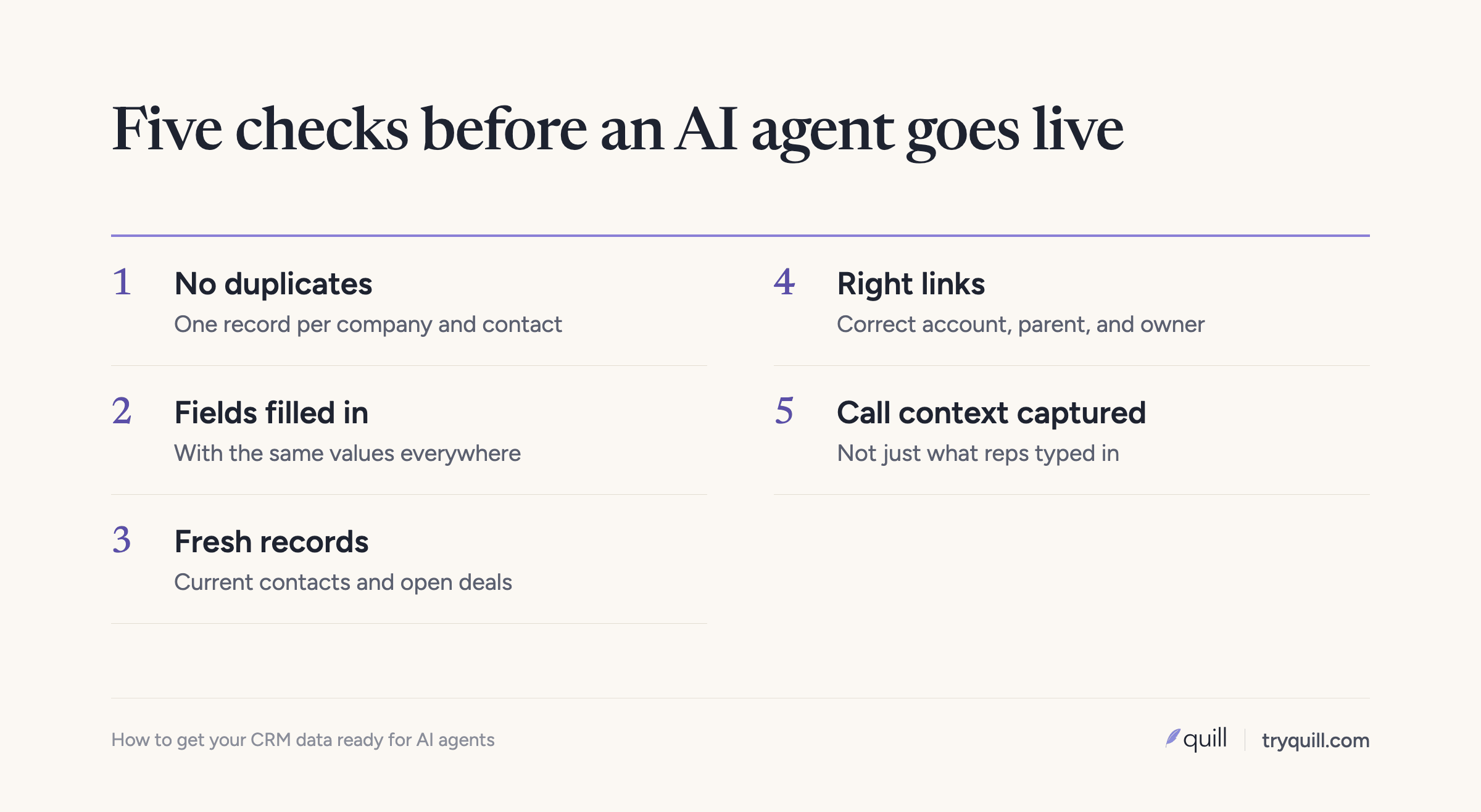
1. Duplicates
Duplicate accounts and contacts are the most common reason agents give wrong or inconsistent answers. When a company exists three times, the agent picks one, and the activity, open deals, and owner might be on another. Check for duplicates by domain and cleaned-up company name, not just exact name matches, and check contacts by email and by name within an account.
2. Completeness of the fields the agent uses
Measure the fill rate of each field on your scope list, only across the records the agent will work with. An industry field that is 40% filled means the agent guesses or skips for most accounts. Also check consistency: "Financial Services", "FinServ", and "Finance" in the same picklist split one segment into three.
3. Freshness
Contacts change jobs, companies get acquired, and deals go quiet. Check how many contacts have bounced or haven't been verified recently, how many open opportunities have close dates in the past, and how many accounts haven't had activity in a year. Stale records are where AI SDRs burn sender reputation and forecasting agents overstate pipeline.
4. Relationships and hierarchy
Clean records attached to the wrong things still produce wrong answers. Check that contacts sit on the right account, that opportunities have contact roles, that subsidiaries roll up to their parent account, and that every open record has an active owner. An agent that routes a request or summarizes an account depends entirely on these links.
5. Context that never made it into the CRM
A lot of what an agent needs to know lives in call recordings, meeting notes, email, and Slack: the real next step, who the decision maker is, why a deal stalled. If reps don't update the CRM, the agent is working from a record that is weeks behind the conversation. Capturing that context into the CRM, with a link to where it came from, closes much of that gap. See Data Capture for how we do it.
What to fix for each kind of agent
Claude, ChatGPT, and internal AI tools connected to your CRM. This is where most teams actually start. Someone in RevOps or finance connects Claude to Salesforce or HubSpot, or builds an internal tool on top of CRM data, and starts asking it questions: which deals are at risk, who the economic buyer is, what changed on an account this week. The assistant answers from whatever the records say, so duplicates and stale fields turn into confident wrong answers. A project to qualify every open deal with AI stalls when many of the answers come back as unknown, because the fields were never filled in. We cover the setup and the most common wrong answers in what goes wrong when you connect Claude or ChatGPT to your CRM.
When the assistant can write to the CRM. The risk changes once an assistant can create and update records. Reps start moving deal stages through a chat window without the checks your pipeline process normally applies. A well-meaning cleanup run merges two contacts who share a common name, and their emails and meetings end up on each other's records. Put rules between the assistant and the CRM so every create, update, and merge is checked before it is written. The steps are in how to stop AI tools from breaking your CRM, and our RevOps MCP is one way to enforce them.
AI SDRs and outbound agents. These fail on stale contacts, wrong titles, contacts attached to the wrong accounts, and duplicates that hide existing customers. The most damaging case is a customer whose account exists twice, once as a customer and once as a prospect, often under a slightly different domain. Outbound finds the prospect copy and emails your own customer. Check that every current customer and open opportunity is excluded before any agent sends. Why AI SDRs email the wrong people walks through the fixes in order.
Agentforce and other agents inside Salesforce. Agentforce reads your Salesforce records directly, so duplicates, missing fields, and broken hierarchies show up in its answers and actions. Fix duplicate accounts and contacts, fill the fields each subagent (Salesforce's newer name for a topic) and action depends on, clear out stale open opportunities, and resolve conflicting knowledge articles if the agent answers service questions. Our Agentforce data readiness checklist goes object by object.
Forecasting and pipeline assistants. These depend on accurate stages, amounts, close dates, and owners, and most of those are typed in by reps. When close dates are self-reported and rarely updated, an assistant that reads them will forecast the same slipped deals the spreadsheet did. Capturing what was actually said on calls into the CRM gives the forecast something better to read.
Readiness is ongoing work
A cleanup before launch helps for a few weeks. After that, new duplicates come in through forms, list imports, and the enrichment and sequencing tools that sync into the CRM, contacts change jobs, and reps stop updating fields. One RevOps lead we work with was spending 10 to 30 minutes a day merging duplicates by hand, plus a bulk cleanup every quarter, just to hold the line. An agent that was accurate at launch drifts as the data drifts.
Keep the checks above running after launch, on the same scope, and track them over time. When a number moves, you can fix the data before the agent's answers get worse, instead of finding out from a customer.
How Quill helps
Quill builds AI agents that keep the data in systems of record accurate, starting with the CRM. For AI readiness, our agents measure the fields and records your agents depend on, then find and fix duplicates, missing and inconsistent fields, stale records, and broken hierarchies in Salesforce, HubSpot, and Attio, with the evidence behind every change and a person approving what matters. See CRM Hygiene, or book 15 minutes and tell us which agent you are trying to launch.
Frequently asked questions
How do I know if my CRM data is ready for AI?
List the objects and fields the agent will use, then measure four things on the records it will touch: duplicates, fill rate and consistency of those fields, how current the records are, and whether contacts, deals, and owners are linked correctly. If any of those are poor on the records in scope, fix them before launch.
What does AI-ready CRM data mean?
AI-ready CRM data means the records an agent reads can be trusted without a person checking them first. In practice that is one record per company and person, the fields the agent depends on filled with consistent values, records that reflect today, and correct links between contacts, deals, accounts, and owners.
Do I need to clean my whole CRM before deploying AI agents?
No. Scope the work to the objects and fields each agent reads and writes, and the records it will act on. That is faster and catches the problems that affect the agent. Keep the checks running afterward, because the data keeps changing.
What CRM data problems break AI SDRs?
Stale contacts, wrong titles, contacts attached to the wrong accounts, duplicates, and missing information about who is already a customer or in an open deal. Together these cause emails to people who left, pitches to current customers, and high bounce rates.
Who should own CRM data readiness for AI?
RevOps usually owns it, because they own the CRM's fields, rules, and integrations. The team launching the agent defines what it needs to read, and RevOps measures and fixes those records. Name one owner for the weekly checks after launch, or the numbers drift without anyone noticing.
How long does it take to get CRM data ready for AI?
For one agent with a clear scope, measuring takes days and fixing the core issues usually takes a few weeks, depending on how many records are involved. Keeping it ready is ongoing, which is why the checks should keep running after launch.